
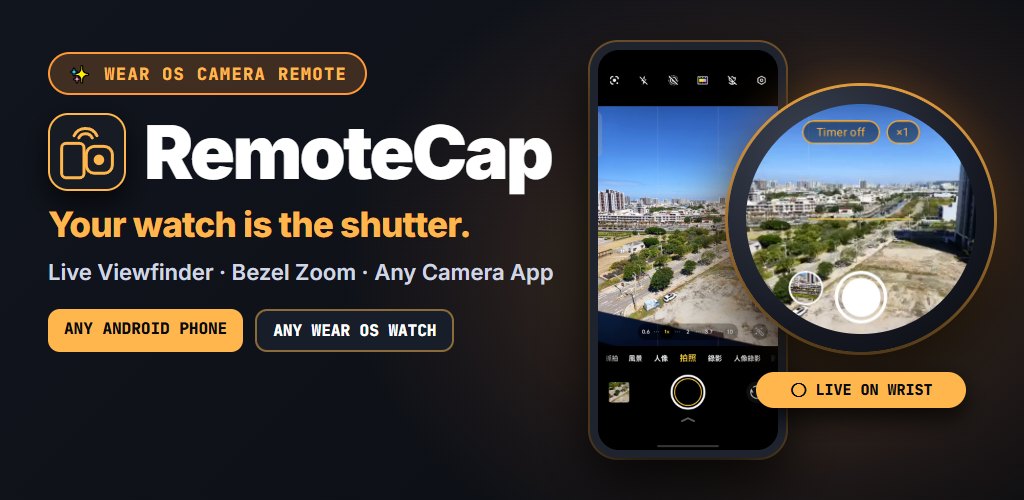
How it works
- Install RemoteCap on your phone and your watch from Google Play. Any Android phone and any Wear OS watch, brands can be mixed.
- Run the setup checklist once. Allow screen sharing and the accessibility service, then drag the crosshair onto your camera app's shutter button. RemoteCap remembers it for that camera app.
- Tap Start on the phone. The watch app opens by itself with the live view. Frame the shot and press the shutter on your wrist; the watch buzzes when the photo is taken.
What you get
Free
- Live viewfinder on round or square watches; double-tap to fill the screen or show the whole frame
- Remote shutter for any camera app
- Shutter position saved per camera app
- Watch app opens automatically when you tap Start
- Haptic confirmation on capture
Pro · one-time unlock
- Bezel & crown zoom: turn to zoom the phone camera
- Countdown timer: 3 s or 10 s
- Wrist-flick shutter: flick to start the countdown hands-free
- 3-shot burst for group and action shots
- Photo browser on the watch: swipe or turn the bezel, double-tap or pinch to check focus
No subscription. Try every Pro feature free for your first 10 sessions.
See it in action
Questions
How can I use my watch as a viewfinder for my phone camera?
Install RemoteCap on your Android phone and your Wear OS watch from Google Play, run the short setup checklist once, then tap Start on the phone. The RemoteCap watch app opens by itself and shows your phone camera's screen live, so you can frame the shot and press the shutter from your wrist.
Which watches and phones does RemoteCap support?
Any Android phone running Android 8.0 or later, paired with any Wear OS 3 or later watch, round or square. That includes Galaxy Watch4 and newer, Pixel Watch and other Wear OS watches. Brands can be mixed, for example a Galaxy Watch with a Pixel phone.
iPhone, Apple Watch and watches that do not run Wear OS are not supported.
Does it work with the stock camera app or third-party camera apps?
Both. RemoteCap mirrors whatever camera app is on screen and taps that app's own shutter button, so it works with Pixel Camera, Samsung Camera, Xiaomi Camera, Sony's camera apps, Open Camera, Instagram, Snapchat and others, with all their lenses, night modes and filters. It remembers the shutter position separately for each camera app.
Is it free? Is there a subscription?
The live viewfinder and remote shutter are free. Pro adds bezel zoom, countdown timer, wrist-flick shutter, 3-shot burst and the watch photo browser, and it is a one-time purchase with no subscription. You can try every Pro feature free for your first 10 sessions before deciding. There are no ads.
Does it need the internet or Wi-Fi?
No. RemoteCap has no internet permission. The picture travels only over the normal Wear OS connection between your phone and your paired watch, and nothing is sent to a server. There are no accounts and no analytics.
How is it different from Galaxy Camera Controller or the Pixel Watch Camera app?
Built-in watch camera remotes such as Samsung's Camera Controller and Pixel Watch's Camera app are made for their own brand's phone and camera app. RemoteCap works across brands and with any camera app, including third-party and social apps.
The trade-off is a one-time setup: RemoteCap needs screen sharing and an accessibility service to press the shutter. If you only use a Galaxy phone with Samsung Camera, the built-in remote may be all you need.
Why does it need the accessibility service?
Only to tap the camera app's shutter button at the spot you chose, when you press capture on the watch. It does not read your screen, record what you type, track your activity or collect personal data.
What languages does it support?
Nine: English, Traditional Chinese, Simplified Chinese, Japanese, Korean, German, Spanish, French and Brazilian Portuguese.